First My Actual Project Disappears - Then Boards Missing After Recreating from Custom Template

I'm doing this from memory so I may not be able to give some details along the way but what I'm concerned about is whether the project I now have (after everything that happened) is safe from data loss. I'd like to verify that what I have in my project now is right and proper, secure, so that nothing bad will happen in the future?
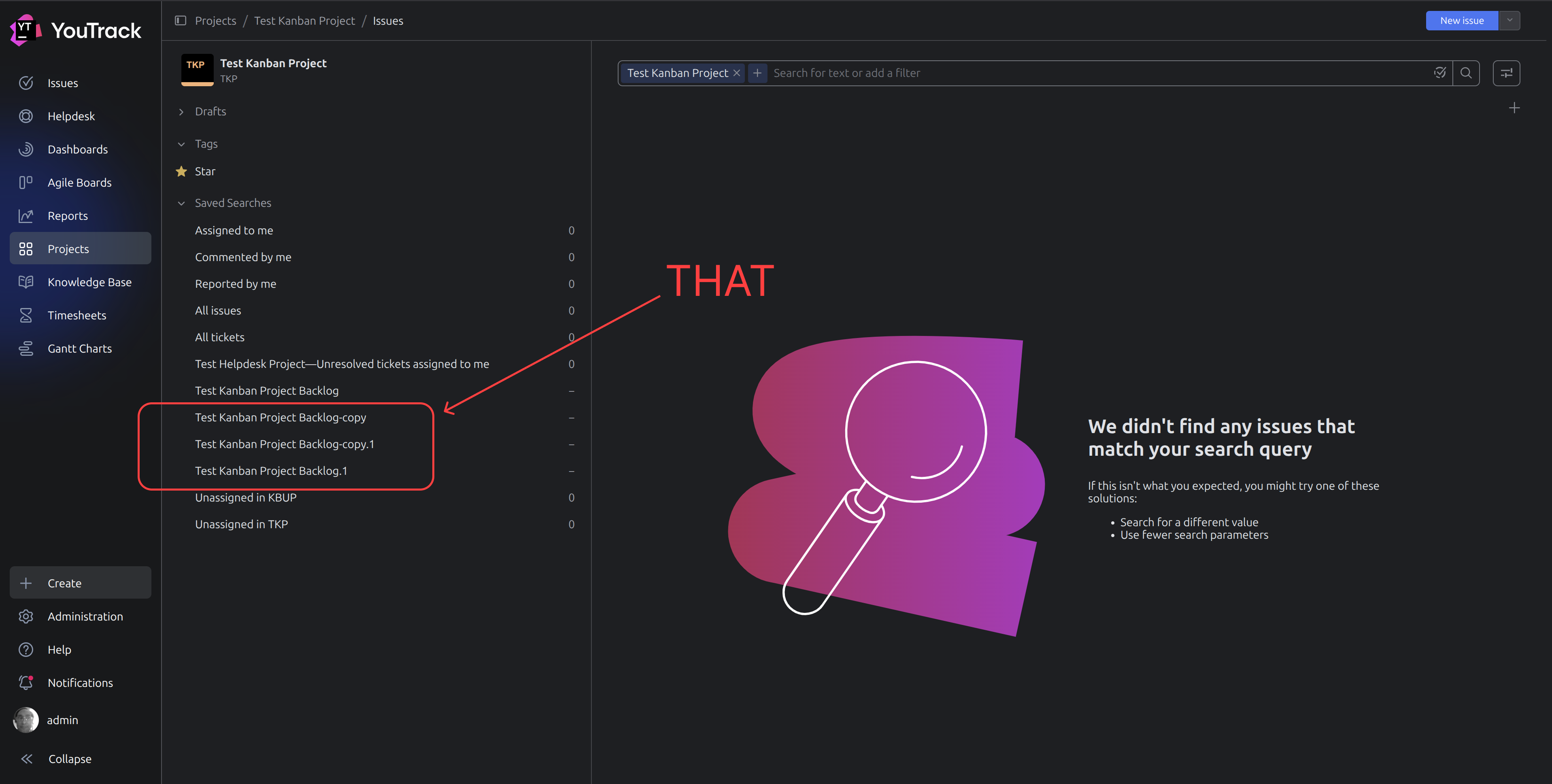
When I came to YouTrack a few days ago I fired up one each of a “Test” project from every default project template there is - wanting to poke around and learn. I ended up starting to customize and configure the one based on the Kanban template. After a couple days I realized that I had put in quite a bit of work and started thinking about how I can back it up “in case anything happens”. I have a free account and I know that JetBrains does backups for us but wanted something more. I decided to create a custom template based on the customized project I had at that point. The resulting experience was having the actual project disappear; and then, after recreating it from said custom template, finding that two of my four boards were missing. I also see that there are boards showing in a drop-down/selection menu that have the same name as actual boards I care about but with “…-copy” and “…copy-1” appended to the name. After what I just went through I find this alarming!
I've recreated the boards (starting from the custom template I made) and I just want to make sure that everything in that project is as it should be or fix/clean up whatever need to be so that it is. I don't want to have to worry about anything going wrong later when I've put a TON of work into my project and have a lot going on there.
To the best of my recollection this is what I did that may have caused this…
I created the custom template; and, iirc, it had the same name as the project I created. I changed the name of the template and its id by editing it directly. My actual project disappeared as soon as I saved that. I created a project from the custom template I had just created (and edited) - expecting to get exactly what had just disappeared, back. I renamed the project that was just created back to what the name of the original, disappeared project was and changed the id to match what the old id was as well - and then discovered that two of the four kanban boards that were in the original project were gone. Yikes!
Since I also had other customizations (such as a custom field and some values added to an-other default field) I check that too - no problem there that I could see. I recreated my missing boards easily enough and now everything in the project seems to be back to where it was. But… when I look at the issues page in my project now (and probably other places) I see weird copies of boards. I find this alarming - and I want to be sure that all the customizations I have in the project now are future proof and not in some strange state that puts it at risk.
Is there any way to verify that everything is ok so I can feel comfortable doing more work in my instance? Any help is very appreciated.
Please sign in to leave a comment.
Sorry. I just want to clarify that my concern is not so much about the copy board names I see its about making sure that the configuration and customization I have is safe.
Hello Jake,
Stan from YouTrack Support here. I'll be glad to assist you.
That is an expected behavior. As outlined in the highlighted section of the documentation:
Projects that are marked as custom project templates are not accessible in the same way as active projects.
The project is not available in the search context.
It cannot be referenced in search queries or commands.
It is not available in the list for creating new issues.
Marking a project as a template also affects the content associated with it.
Issues that are currently assigned to the project are no longer discoverable using search queries. These issues are not removed from the system and can be accessed using direct links.
Articles that belong to the project are not accessible from the table of contents in the knowledge base. These articles are not removed from the system and can be accessed using direct links as well.
This behavior is similar to projects that have been archived.
If you have an active project that you would like to use as a custom project template, you can clone it first, then mark the cloned project as a template. This lets you continue to work with and add issues to the active project. To learn how to clone a project, see Clone a Project.
The documentation also outlines the Agile boards and other items' behavior:
Agile boards are added to the custom project template and automatically generated for new projects when the following conditions are met:
The items highlighted in your screenshot are not copies of the Agile boards; instead, they are saved searches. A saved search with the name [Project Name] Backlog is created and stored as the saved search for the backlog when you create a project from the Kanban template.
Saving a project as a template and creating new projects, as well as cloning projects, work as described in our documentation. Please follow the documentation to verify your actions and avoid any unexpected outcomes.
Please don't hesitate to contact us if you have any questions. Have a nice day!
I guess I did it wrong.