How do I make new cards appear on the top of each swimlane in Agile Board?

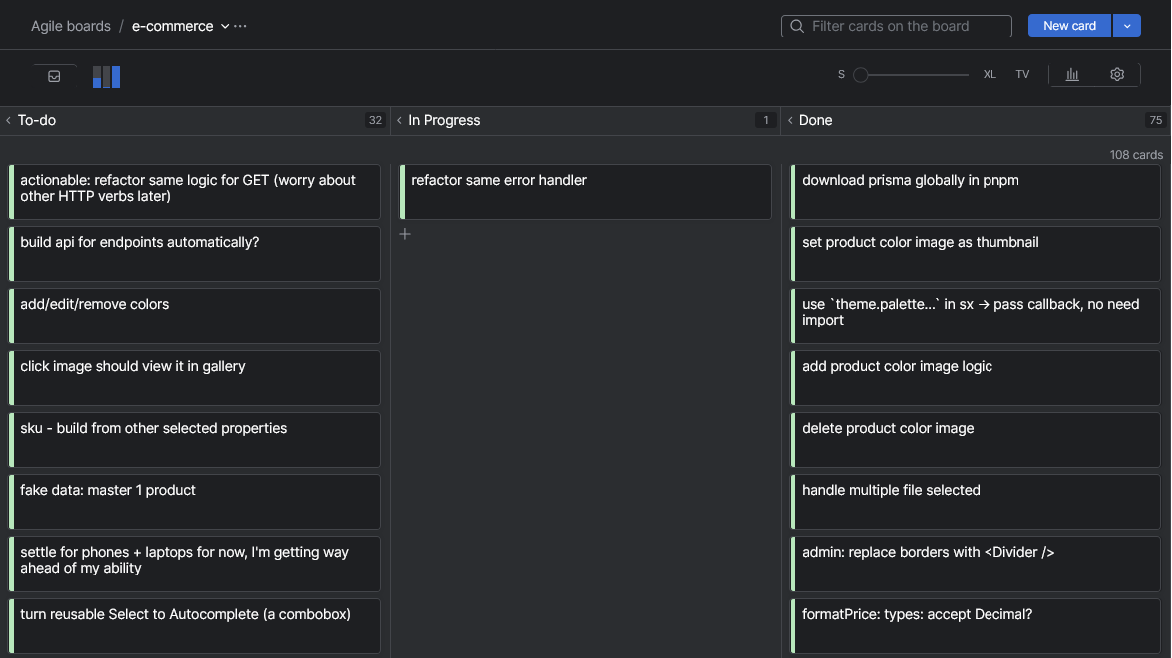
When I add a new card, I want it to appear at the top of To-do column. But using the `New card` button (top-right), it always append at the end of the column. By default the newest cards should display first, can I control that somewhere?
Please sign in to leave a comment.
Hi Tiktaktictac269! There's no setting to control where new cards appear in a column - YouTrack always adds them at the bottom.
That said, you can get the newest-first order by adding a sort clause to the filter field at the top of the board:
This sorts cards by creation date, placing the newest at the top of each column and within each swimlane. The order holds as long as the filter is active. Bookmarking the board URL with the filter in place lets you reopen it already sorted.
One thing to keep in mind: when a sort filter is active, manual drag-and-drop reordering inside columns will not work. You would need to clear the filter to move cards manually.
See Sort Cards on an Agile Board for more options, including how to make the sort permanent in the board settings if your board is configured with a query.
A dedicated "move card to top or bottom" option is tracked as a feature request: JT-48422. Feel free to vote for this issue.
Thank you. It's a bit annoying that this isn't the default behavior, but this will do.