Widget with Enhanced DX – questions regarding recommendations for fetching data and header

Hi,
big fan of youtrack and its extensibility. I regret not switching sooner from Jira to you (it felt no one hated Jira customers more than atlassian themselves).
# Question 1: Styling
I'm currently developing a ISSUE_PANEL widget and was wondering whether I can set it so it shows with no header?
The docs seem to only mention this being configurable for Dashboard Widgets.
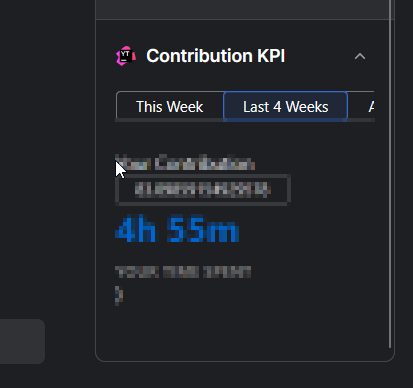
Also: Is it possible to have this widget look very close to how a native field would show up? I've checked the RING UI components but as the field visualization is a combination of many components it's not in there, and checking the DOM classes is only getting me so far in terms of styling.
# Question 2: data fetching
Currently, I'm fetching data within app.tsx with host.fetchYoutrack:
 useEffect(() => {
        const fetchWorkItems = async () => {
            try {
                const fields = "author(id,name,login),date,duration(id,minutes)"
                const data = await host.fetchYouTrack(`issues/${YTApp.entity?.id}/timeTracking/workItems?fields=${fields}`);
                await setWorkItems(data);
            } catch (error) {
                setError(error);
            }
        }
        fetchWorkItems();
    }, []);
I am having trouble grasping when I would use a custom endpoint for this? (Are custom endpoints solely for keeping your project orderly, or do they open up new possibilites not covered by the host API?)
Please sign in to leave a comment.
Hi, we're glad to hear you're enjoying how extensible YouTrack is!
Not at the moment. In the issue view, YouTrack wraps every widget in a container with a name row, which also works as the collapse toggle, and there is no manifest setting to hide it. The
showHeaderfield in the docs only applies to page-level widgets in theADMINISTRATION_MENU_ITEMandMAIN_MENU_ITEMextension points. Also,ISSUE_PANELisn't an extension point name. For the area next to the issue fields, useISSUE_FIELD_PANEL_FIRSTorISSUE_FIELD_PANEL_LAST.If this option would be useful for your widget, you're welcome to submit it as a feature request in the YouTrack project on our issue tracker. Other users can vote for it there, which helps us gauge demand.
There is no ready-made field component in Ring UI, so the closest you can get is to compose it from Ring UI components, such as buttons, dropdowns, and tags, plus your own CSS for spacing and layout. This is the approach described in the apps FAQ. YouTrack's own stylesheets and DOM classes don't apply inside the widget's sandboxed iframe, which is why copying class names doesn't get you far.
For reading the work items of the current issue,
host.fetchYouTrackis the right tool, and you don't need a custom endpoint.Custom endpoints are more than a way to keep a project orderly. A custom HTTP handler runs on the server as part of your app, which lets you:
The widget calls the handler with
host.fetchApp.