BurnDown Chart not working

Hi,
I have just installed 4.2 (build #5891 [13-Feb-2013 22:17] ) and had this problem with the burndown chart.
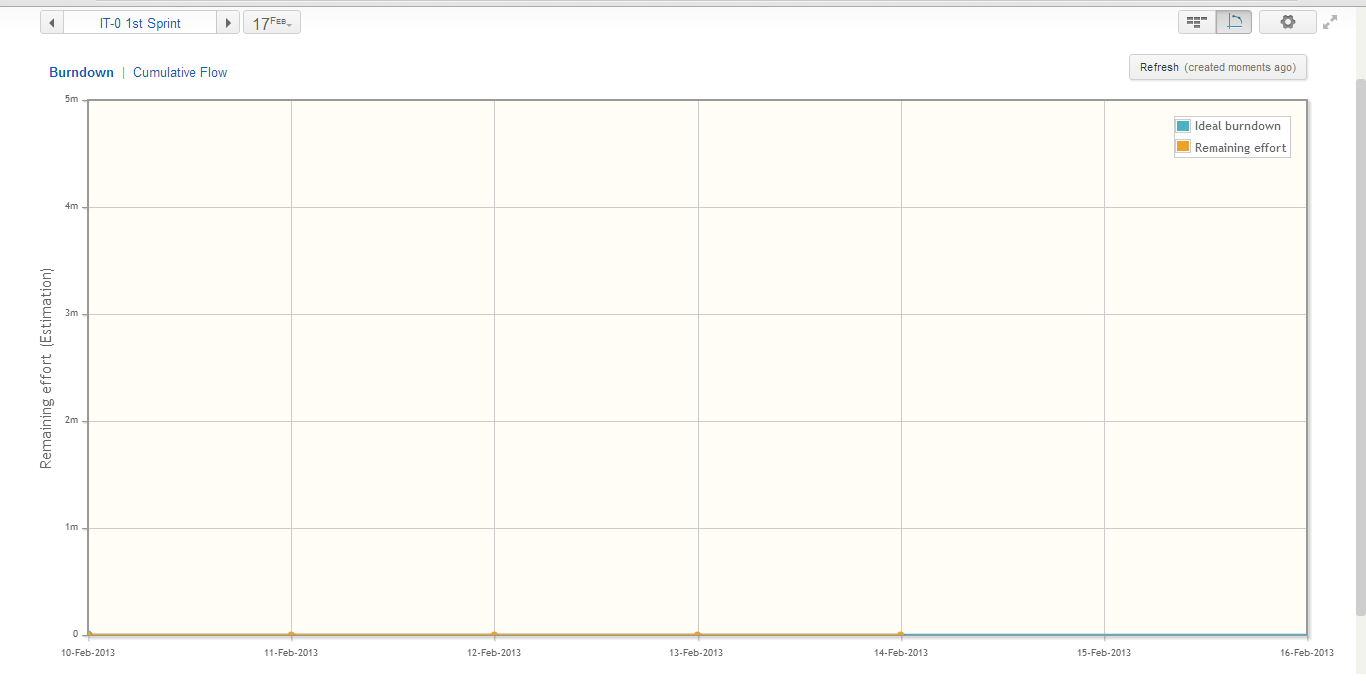
I read a post in http://youtrack.jetbrains.com/issue/JT-18150 had this fix on build 6022 but the release notes on 4.2 says this has already been fixed which confused me.
I am using the standalone version with 100 user license hosted on our server.
I appreciate any help you can extend.
Thanks!
Ariel
I have just installed 4.2 (build #5891 [13-Feb-2013 22:17] ) and had this problem with the burndown chart.
I read a post in http://youtrack.jetbrains.com/issue/JT-18150 had this fix on build 6022 but the release notes on 4.2 says this has already been fixed which confused me.
I am using the standalone version with 100 user license hosted on our server.
I appreciate any help you can extend.
Thanks!
Ariel
Please sign in to leave a comment.
I apologize in advance, first of all I'd like to clarify did you update your Burndown chart (using "Refresh" button) ? Earlier we had such problem.
Thank you.
We found out that if you tick Features and Tasks for your "Field values to identify swimlane" in the Agile Settings (most of our youtrack items are just features and tasks) the Burndown chart will be flat. After we left just the features for the swimlane the burndown chart started working.
Thanks!
Ariel
Yes, this is a known problem. But it was fixed. What YouTrack type do you use (if it's Stand-alone, what version)?
Could you please try again to repeat actions- enable just Feature, than Feature and Task-> Refresh button.
If it doesn't help, please contact us, we'll investigate this.
Thank you.
we're using YouTrack 4.2.1 (build #5969 [20-Mar-2013 16:59] ). Will try
what you suggest,
MartiNG
I'm having issues with Burndown for certain projects.
The Burndown chart recognises our Estimation field for the size of the project, but is not picking up our Issues with state "Done" (set to act as resolved). We've confirmed this is the case by searchin for "#Resolved" in Issues and it not showing any results.