HTML in email when page is updated

Hi,
Found some similar posts from 2013.
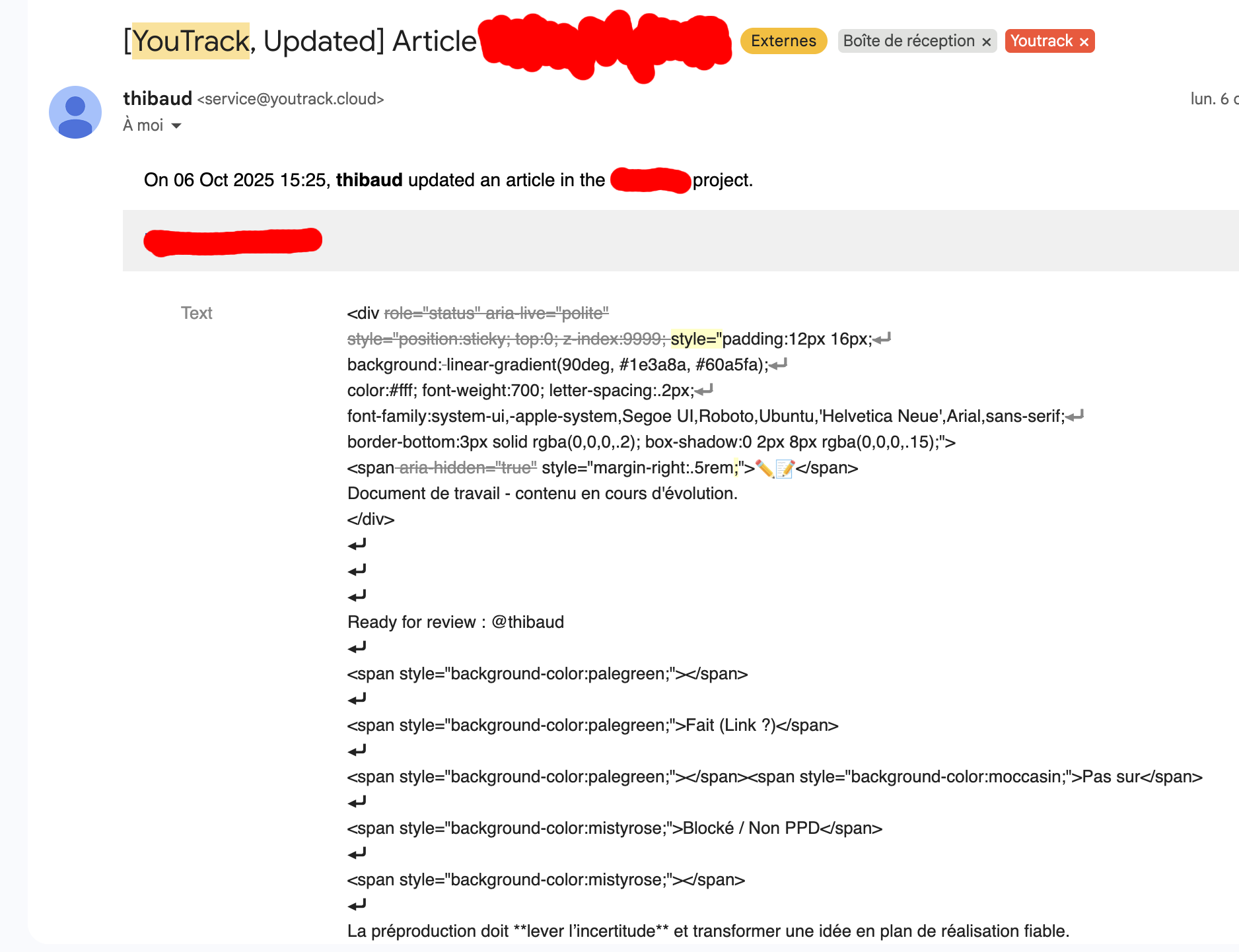
We're using HTML banners to help style and split our KB pages, which lead to email notifications being hard to read and in some instances almost useless.
What I would love would be to be able to strip all HTML from email notifications, either as an option in youtrack or, as I've seen done back in 201x on issues, through a custom workflow.
Is any of those doable?
Would love some insight from other users or help from community team.
Leonard
Please sign in to leave a comment.
Hi Leonard, thank you for sharing both your issue and the solution you found. We'd also recommend adjusting the notification templates to achieve this outcome.
If a simple solution like removing all HTML tags
<like this one>seems acceptable, it can be achieved by editing the event_text_change.ftl file in project settings > Notifications. This default code:Can be modified using the replace method with an optional “r” (regex) flag in Freemarker:
As you've already had this resolved, I'm leaving it here in case anyone else comes across this thread looking for a solution.
Update: I wrote a workflow that works very well to send user-readable digest of changes to articles, however I'm running into a new issue: I want to disable email notification for the KB alltogether to let the workflow do all the work but the only option I find is in the user individual profile, and
“update to issue” and “update to kb article” are linked and I cannot disable one without disabling the other, which is highly inconvenient and would force me to also write a workflow for issues, which seems a bit overkill.
Is there a way to :
- disable article notification
- disable it at project level, not user level
Leonard
Second Update: I stumbled upon the templates for notification while trying to disable article notifications, and ended up scrapping the workflow in favor of those. I only half understand what I'm doing so the result is not as smooth but I was able to stip HTML tags and get a more user-readable email notification for my articles.
If you're finding this post looking at a similar issue, I think it's the way to go. You can edit templates from Admin - Global Settings - Notifications - Notification Templates. I used the article change notification and bypassed the previous use of events.ftl. ChatGPT was big help and I got there eventually.