"xs" version of card layout?

First of all, the slider to manage how to scale cards is really smart, wouldn't have thought of that.
But I wanted to ask: can I in some way make the cards less high? because e.g. in some boards I'm not interested in seeing the author, and would be more keen on seeing more cards at once.
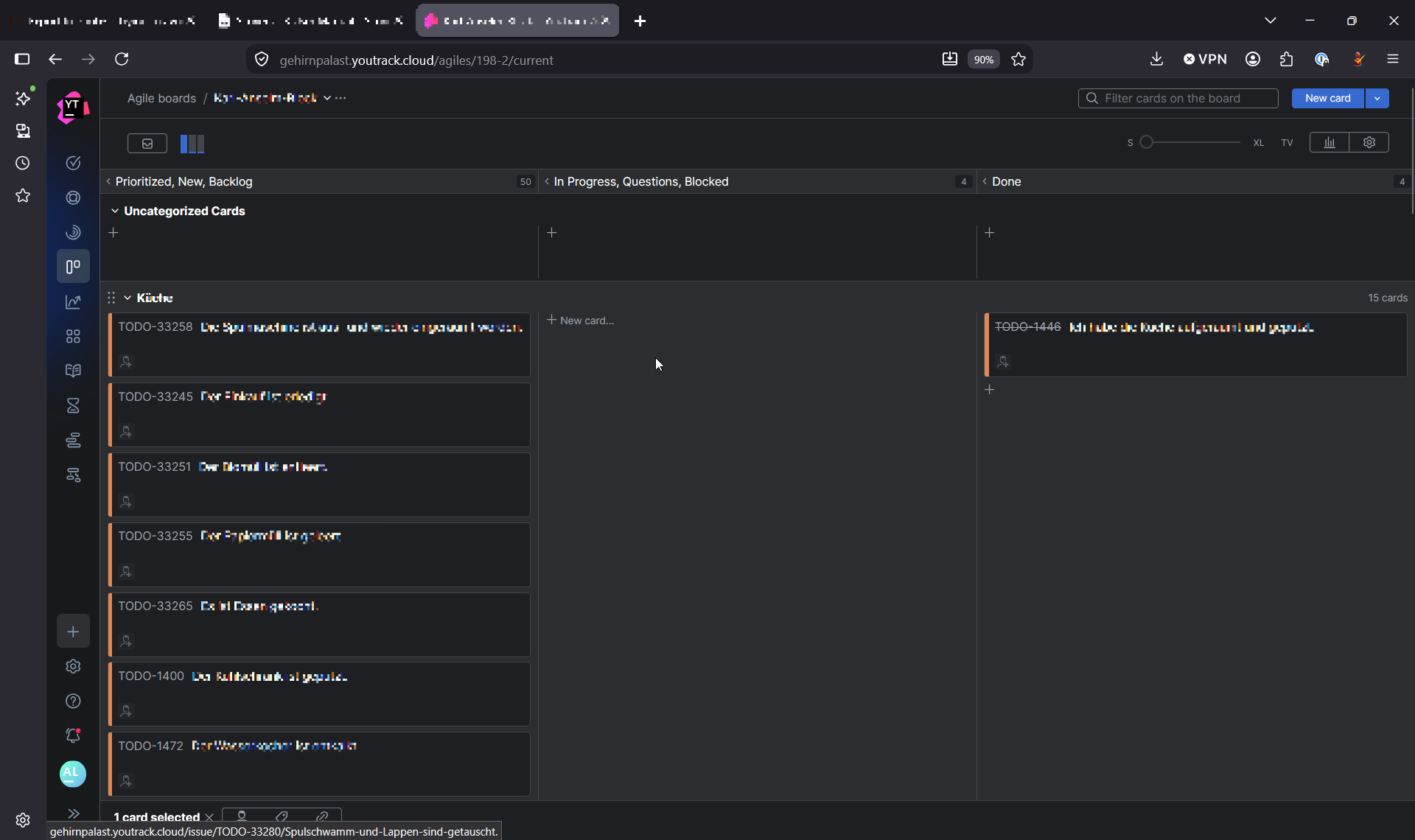
For comparison:
here's a mockup:
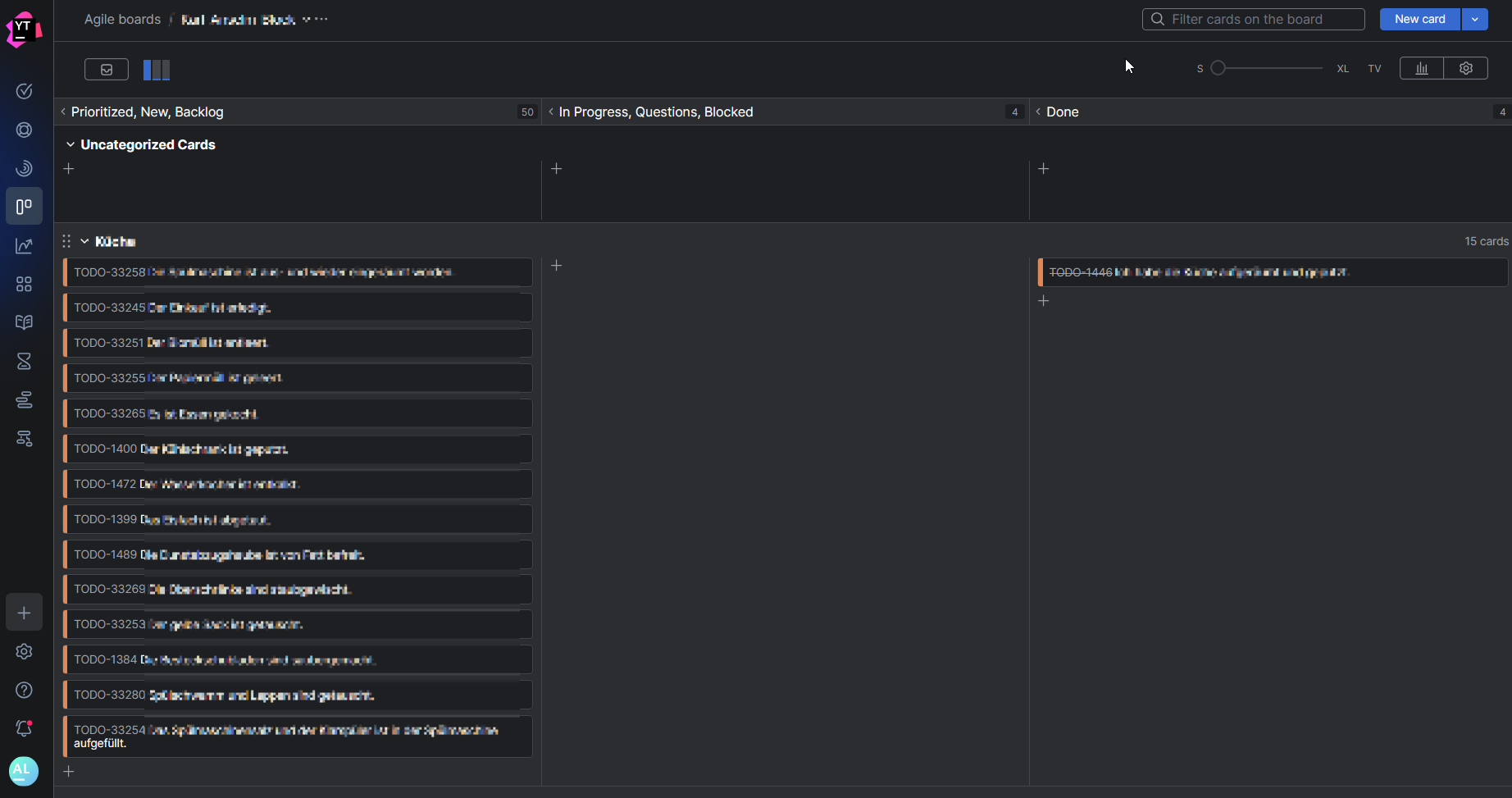
Kind regards,
Rebecca
Please sign in to leave a comment.
Hi Rebecca,
Thank you, it's so nice hear the card size slider is helpful!
There's a feature request about exactly that in our tracker: https://youtrack.jetbrains.com/issue/JT-71627/Add-XS-size-for-the-cards-in-the-Agile-board. It's not currently on the roadmap, but feel free to give it a vote!
In the meantime, if you are open to using a browser extension, you can have it edit the page structure to remove card footers entirely from some pages (I guess that might have been how you did the mockup!).
Hi Julia, thanks for the hint with the request in the tracker!
I manipulated the page structure manually, but am curious about any browser extensions to manip it for me. I never used one of those, mainly know the Dev Tools for debugging frontend work :D
Hi Rebecca,
For Firefox, you can use extensions like Tampermonkey or Stylus, or even create your own custom extension (you'll basically be uploading a local file to your browser bypassing addons.mozzila.org). The idea behind each option is to record an instruction that will run for a specific page and change it on the fly.
While using a browser extension lets you customize the UI of any web page, maintaining and security auditing whatever changes the extension introduces becomes your responsibility. This is why this workaround is generally discouraged in corporate settings, so I'd suggest checking with your IT team first before trying it out!
Hi Julia,
thanks again for the reply! I'm using YouTrack on my own / not in a corporate setting, so no worries there :) Will check them out, sounds real nifty to adjust websites!