Following workflow demo from the blog results in an error

https://blog.jetbrains.com/youtrack/2017/12/make-it-workflow-part-4-generating-new-issues/
I'm following the article above. I've added the Release item to the Type enum. If I create any issue in that project, I get an error in this workflow. I've also created my own types from scratch and gotten the same result.
Processing Issue 2-303: TypeError: Cannot read property 'Release' of undefined
guard: function(ctx) {
var issue = ctx.issue;
return issue.becomesReported &&
issue.fields.Type.name === ctx.Type.Release.name;
},
Please sign in to leave a comment.
I fixed this by updating the Requirements section. I thought it was only required if there were changes that I wanted to make to a field, for example if a field has a space in it and I wanted to refer to it without a space.
Hi!
I'm Sergey from the YouTrack team.
One of the purposes of the requirements block is that you can reference its objects via context (ctx). In your example, you attempted to retrieve
ctx.Typebut as it wasn't specified in the requirements block, you got this exception.To learn more about how the requirements block works, please refer to https://www.jetbrains.com/help/youtrack/devportal/requirements.html.
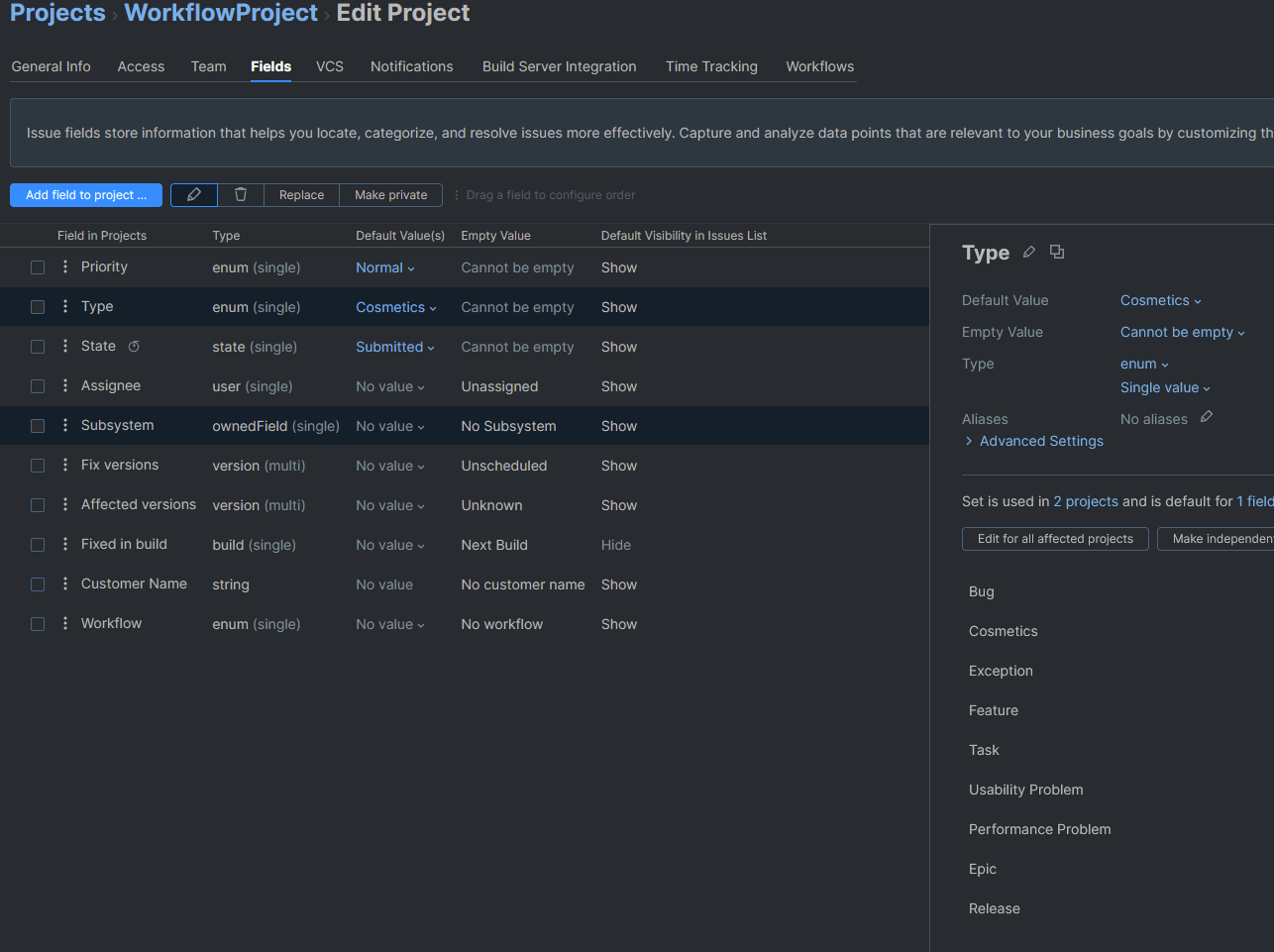
Based on that information and the workflow samples in the github repository, I'm still lost. I've created a new enum field modeled after the “Type" default field, which does work, but it seems like the workflow thinks my field doesn't exist.
In the guard I have three ways that I've tried to check this condition and they all fail with different errors, but the failure points to the project thinking that it doesn't have a “Workflow” field.
The errors in order are
TypeError: Cannot read property 'name' of undefined
TypeError: Cannot read property 'name' of null
No field with name Workflow found for type EnumField
This is my workflow:
And my project has an enum named Workflow
Edit:
I wanted to try the Workflow Builder to see what that would do. The Workflow Builder seemed to recognize the “Workflow” field as expected, but it's recognizing other fields incorrectly.
The documentation suggests that “many” of the fields that are assigned to objects can be used as variables. I assume I can use a string as a variable in a String-type setting. I tried to use a String-type field as a variable, but I'm warned that it must be an Enum instead.
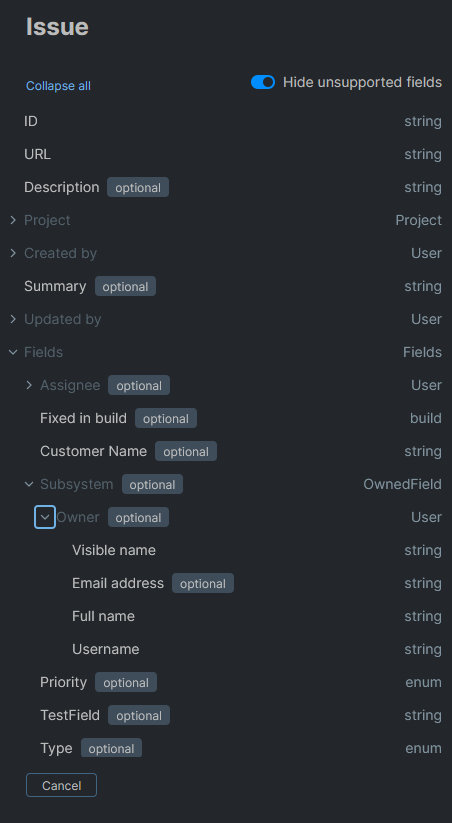
If I try any of the built-in properties or fields that are strings, there are no complaints.
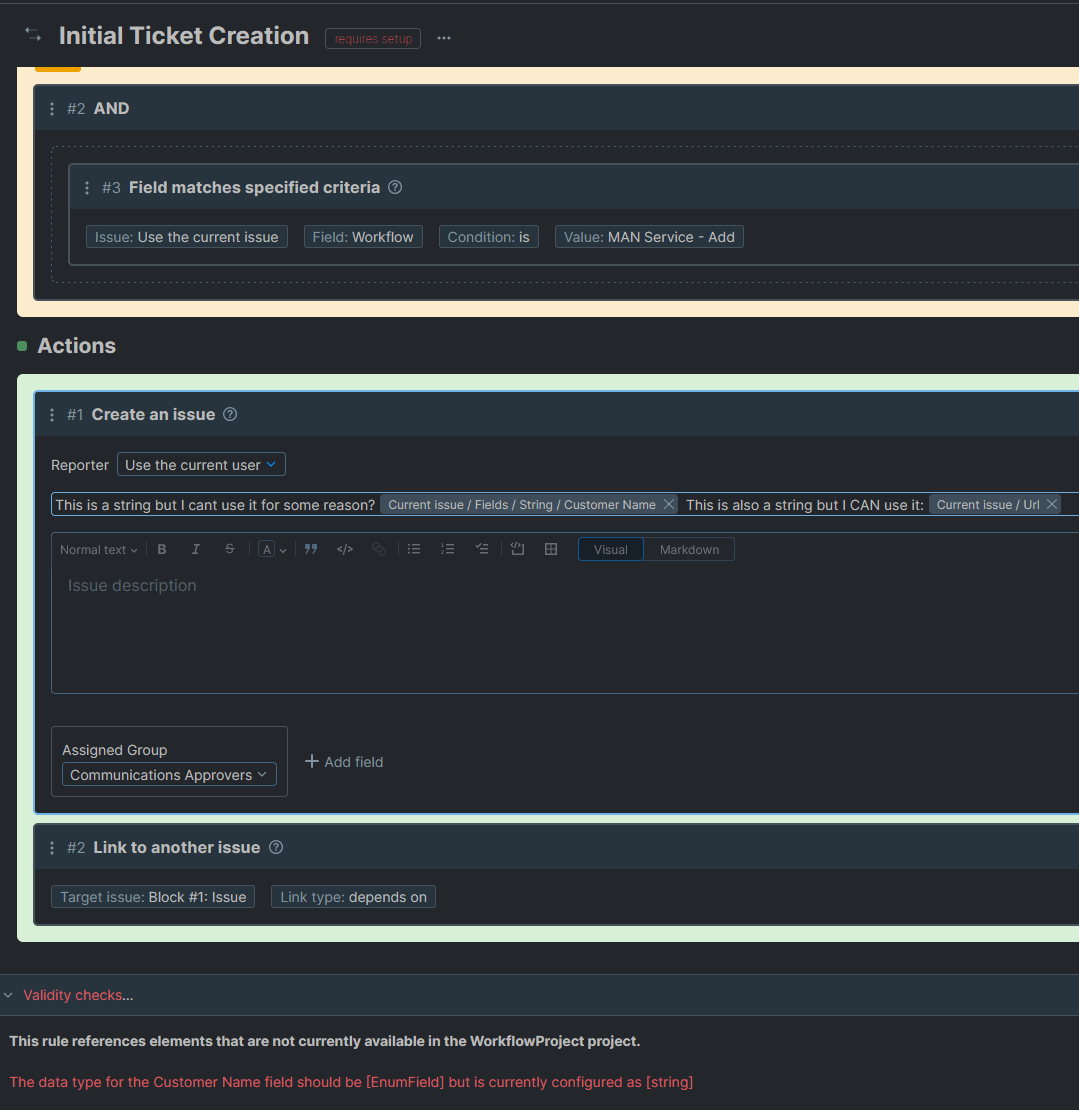
The “Customer Name” Field is even highlighted, suggesting that I should be able to select it:
Thanks for your response.
Firstly, regarding requirements. The best approach here is to check the project's workflow page. It highlights any errors related to mismatches with the rule's requirements. However, another thing is that the rule doesn't run if there are such errors. So in your case, there must have been another reason.
As for the workflow constructor case, I recreated a similar rule with the same fields as shown in your example and couldn't reproduce it.
Based on both of these cases, I'd like to have a closer look into your environment. So I suggest the following approach:
- create a new private ticket, as this is a public forum and we'd like to request some specific details about your installation
- do you use YouTrack Server or YouTrack Cloud? If the former — send the logs and version. If the latter — your instance name or URL so that we can check the logs
We'll examine this data and get back to you with further information. Thanks.