I'm Sergey from the YouTrack Team. Thanks for reaching out!
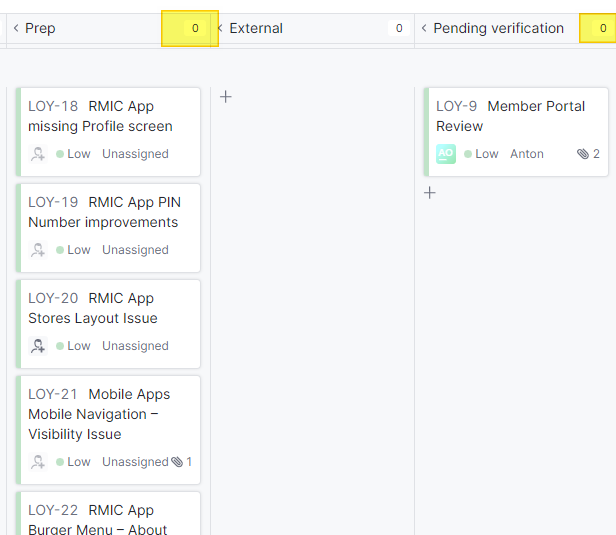
The column header counter displays the sum of estimations for issues in that column, not the number of cards. This happens when an estimation field is configured in the board's Cards settings. If none of the issues in those columns have an estimation value assigned, the counter shows 0.
To check this, open your board's settings and go to the Cards tab. Look at the Current estimation field — if a field is selected there, that's what the column counter is reflecting. To show the card count instead, clear that field. Alternatively, if you'd like to keep using estimations, populating estimation values for your issues will make the counter reflect the correct total.
For reference, see the Card Settings section in the documentation.

Hi Anton,
I'm Sergey from the YouTrack Team. Thanks for reaching out!
The column header counter displays the sum of estimations for issues in that column, not the number of cards. This happens when an estimation field is configured in the board's Cards settings. If none of the issues in those columns have an estimation value assigned, the counter shows 0.
To check this, open your board's settings and go to the Cards tab. Look at the Current estimation field — if a field is selected there, that's what the column counter is reflecting. To show the card count instead, clear that field. Alternatively, if you'd like to keep using estimations, populating estimation values for your issues will make the counter reflect the correct total.
For reference, see the Card Settings section in the documentation.
Let me know if you have any questions!
Thank you Sergey Merzlov I tested it and it works perfectly.